LearnMorePageTest
page itself

page itself
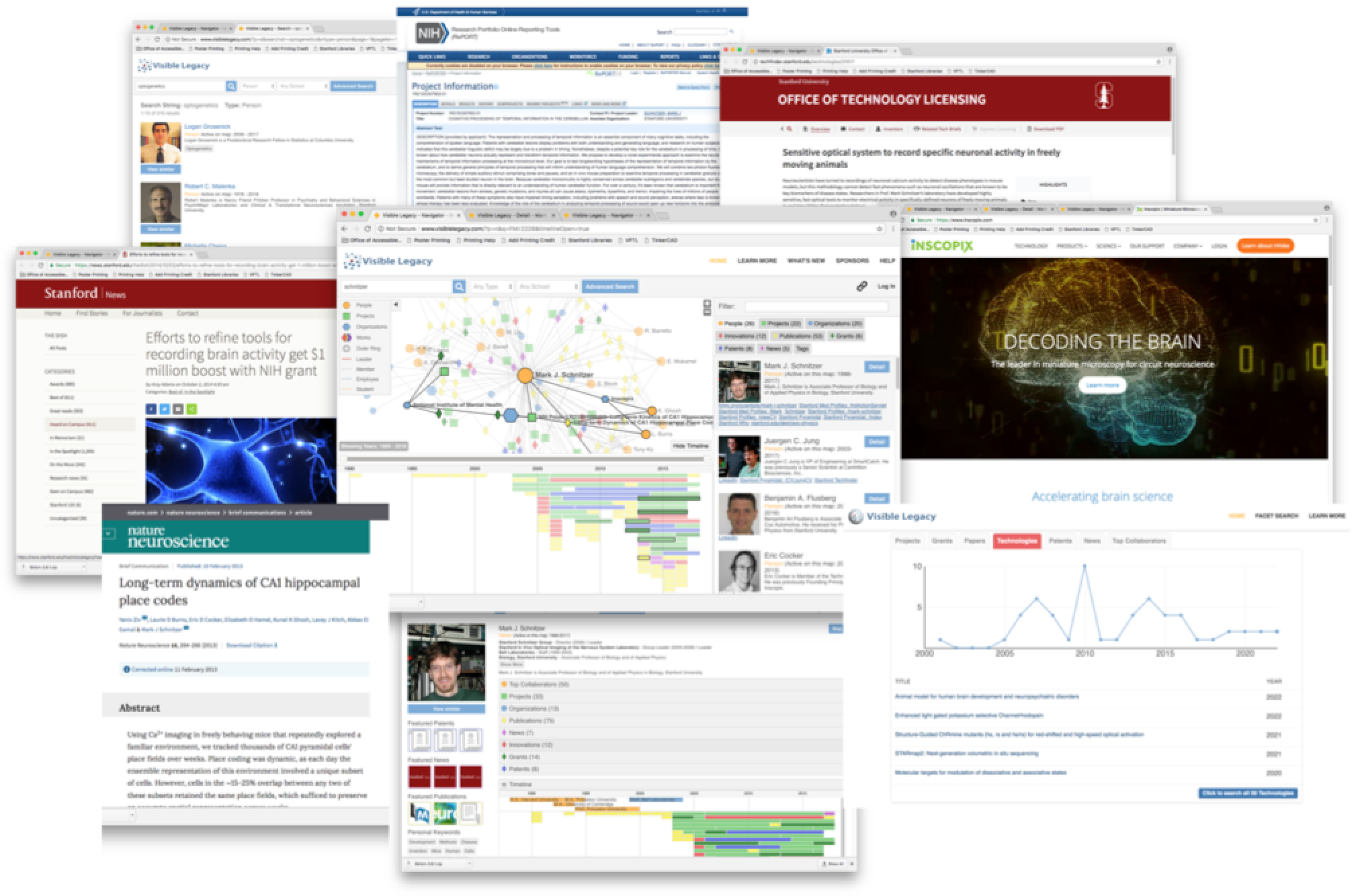
The Visible Legacy Navigator portal start-page has a familiar topic search box. This searches in the title of all topics. Or use the Facet Search to select by type Person, Project, Organization, or Document and filter by wource-organization and specific Keywords. From the list of results, click on the Title to open the Overview map for that topic.
Within the maps you can follow the story of innovation over time and through interconnections. The elements of teh Overview map interact: the map of linked topics, the timeline showing the same topics in time, and teh sidebar tabs showing "card" summaries of teh topics and keywords. You can double-click a node to re-enter the map on that topic, or click a Title to navigate to that topic. The tabs are color coded as a key to the node types.
You can "read around" a topic by following the links to online papers, patents, innovation disclosures, and news. Often the co-authors or the connected projects lead to "in between" innovators or the most recent discoveries that are a closer fit to your needs. The curated links in the topic cards allow you to quickly jump to the innovator's public web page and contact information. You can capture the weblink of interesting technologies with a button-click and stave them into your IP workflow and easily share with colleagues.
If you register for a free account you can save favorite technology URLs, save searches, download search results to Excel and set and save various user preferences.
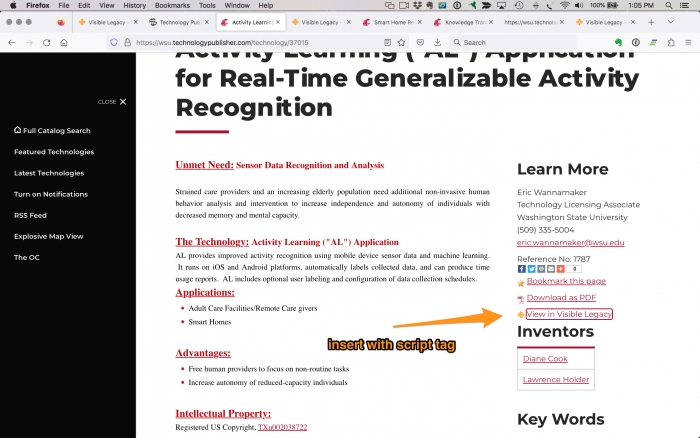
We read the feeds from the many research universities using the Minuet Technology Publisher from Inteum. All these technologies are snapped into our knowledge graph and linked to the development context behind the invention. The Inteum Administrator can easily add one line of code "script tag" to have a link "View in Visible Legacy" populated in the page for your user. This link will let your user jump to the invention in Visible Legacy Navigator to see context and find other relevant inventions and collaborators. Navigator pages then link back to Technology Publisher pages.
This html script tag detects the page ID and then fetches the respective topic link from our server and puts it in your page.
  <script id='visleg-widget-script'
   src="https://api.visiblelegacy.com/widget_script.php?type=link">
  </script>
If a topic does not exist in the Visible Legacy knowledge base no code will be inserted and the page will not be modified. There are other modes mentioned in our blog.
We offer a script tag to have a block of links populated in the page for your user. This Combo Script Tag can fetch a group of related technologies to present right in the Technology Publisher page. The script can be set to fetch technologies related by inventor or by keywords. Use type=combo and you can select subtype=inventors or subtype=related.
We offer a script tag to have a live, interactive widget populated in the page for your user. The widget shows the people, projects, organizations, and other inventions and helps your user find related technologies. The interactive graphic element keeps your user engaged with your site. Use type=widget and you can set height and width with usual style parameters.
If you are using a system other than Minuet Technology Publisher, we can tailor a script tag to conform to your needs.
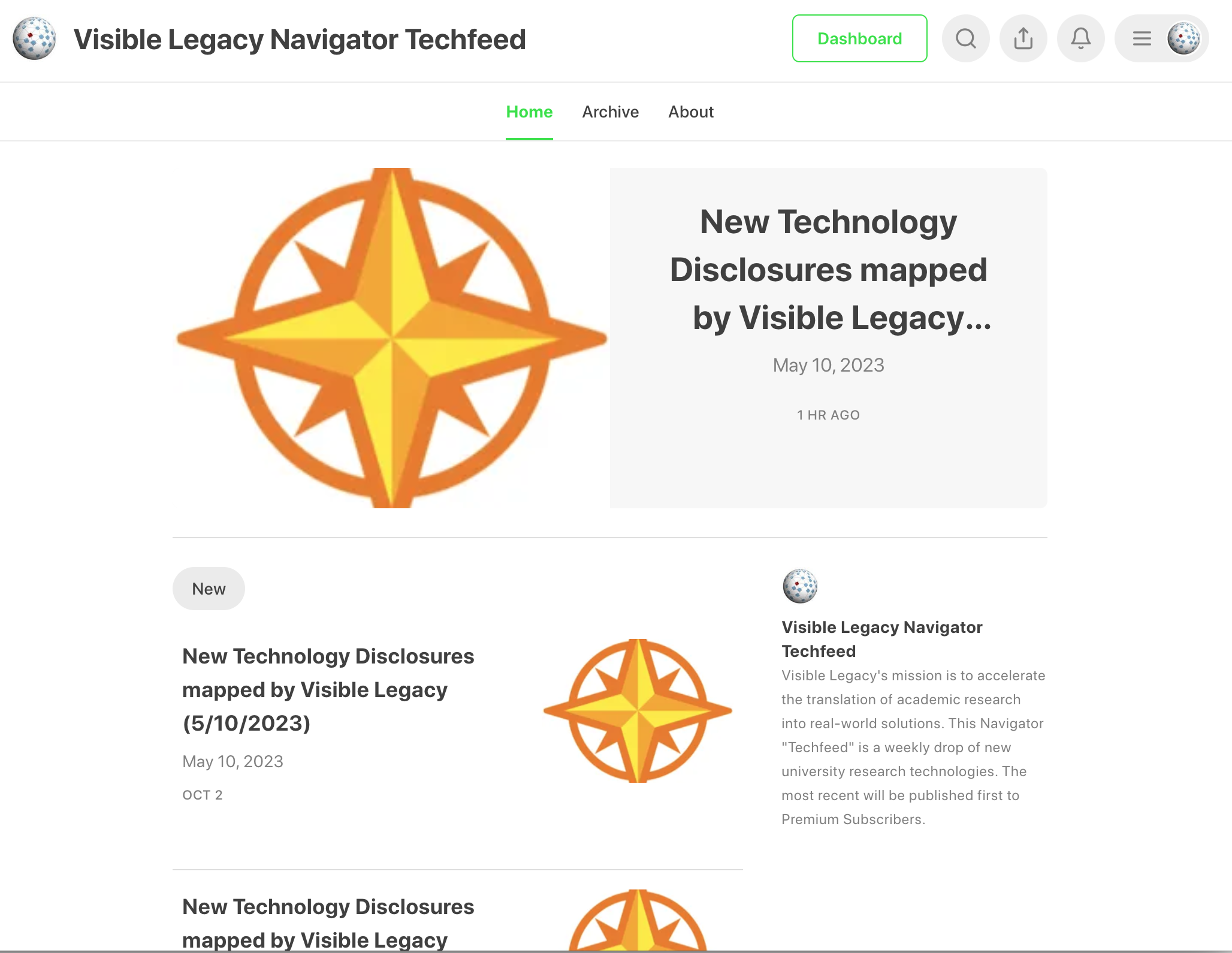
We read the feeds from the many research universities using the Minuet Technology Publisher from Inteum. All these technologies are snapped into our knowledge graph and linked to the development context behind the invention. The TechFeed lists these by university and includes the direct link to Navigator that you can use in your workflow or jump right to the topic.
We have also crafted feed readers for other major research universities such as Stanford, University of Minnesota, University of Michigan, Texas Tech, Cornell, and the entire University of California system.
The feed includes a pre-written search to Navigator for all recently added technologies. Use the power of Navigator Facet Search to drill down to search across all universities to find the technology fit you need.
Following the typical Substack model, you can read the articles for free. Subscribe to receive the most recent releases first, right to your inbox.
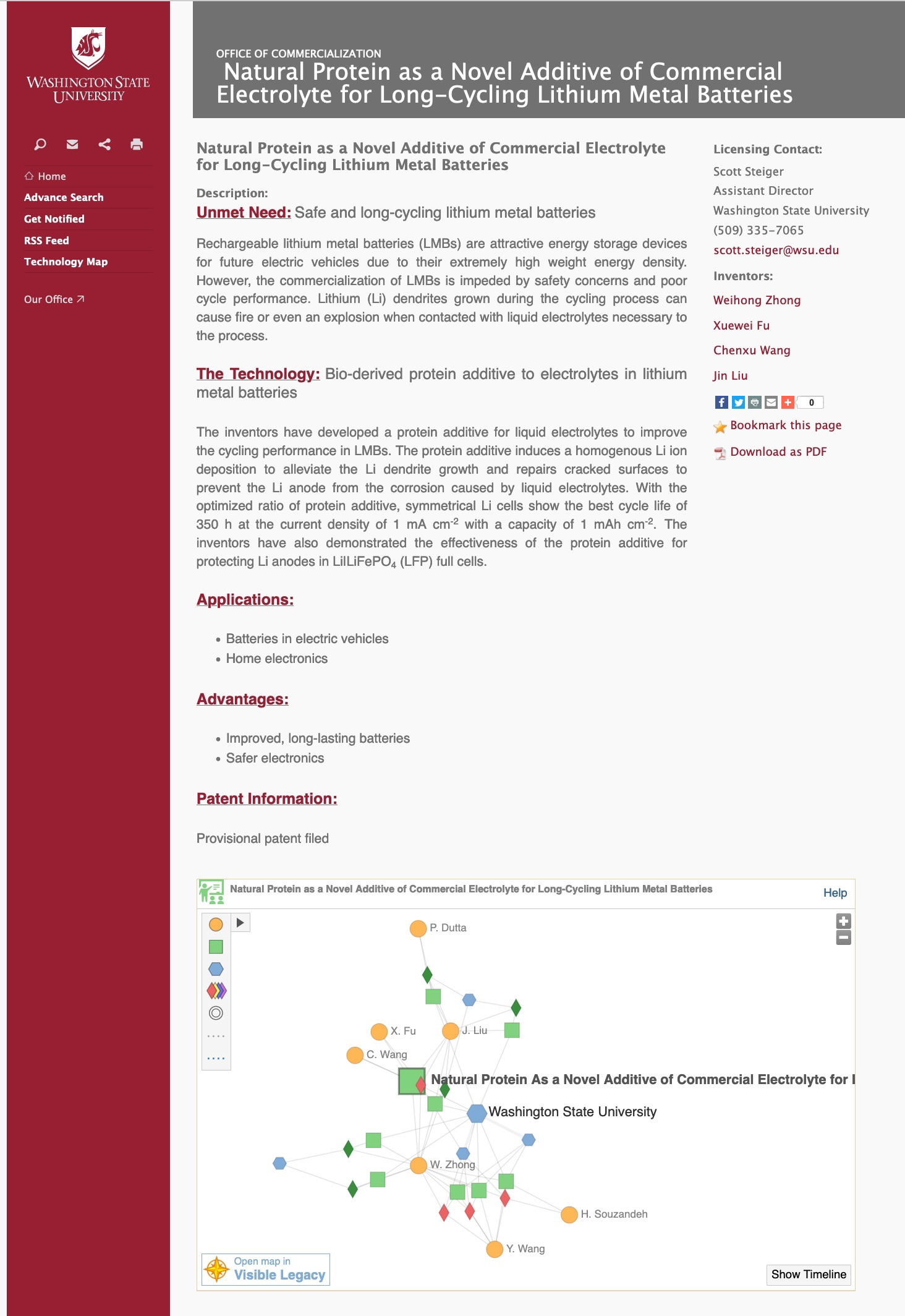
We read the feeds from the many research universities using the Minuet Technology Publisher from Inteum. All these technologies are snapped into our knowledge graph and linked to the development context behind the invention. The Inteum Administrator can easily add one line of code "script tag" to have a widget "View in Visible Legacy" populated in the page for your user. This link will let your user jump to the invention in Visible Legacy Navigator to see context and find other relevant inventions and collaborators. Navigator pages then link back to Technology Publisher pages.
However for universities that would prefer to code their own for their available technologies site or for news or development outreach, map widgets may be placed by your code with the following script tag.
This html script tag has the topic ID added by your coding methods. The script tag fetches the map widget centered around the ID you have specified from our server and puts it in your page. Use type=widget and you can set height and width with usual style parameters.
  <script id='visleg-widget-script'
   src="https://api.visiblelegacy.com/widget_script.php?type=widget&height=410&width=700&id=NIHP:R01CA222965">
  </script>
Your code supplies the ID. If a topic does not exist in the Visible Legacy knowledge base no code will be inserted and the page will not be modified. There are other modes mentioned in our page.
For University Departments and Centers that are presenting the collaborations of people and outputs of pagers, patents, and inventions over time, this map widget can be easily used to place an interactive map in your website. The interactive graphic element keeps your user engaged with your site. Use Visible Legacy Navigator to find your organization node and use that ID in the script tag above.
For Investigators that are presenting their collaborations and outputs of pagers, patents, and inventions over time, this map widget can be easily used to place an interactive map in your profile website. The interactive graphic element can be used to communicate in a visual way to peers and funders. Use Visible Legacy Navigator to find your person node and use that ID in the script tag above.
For research funders such as Foundations and Granting Orginzations that are presenting the impact of their funded project and collaborations through outputs of pagers, patents, and inventions over time, this map widget can be easily used to place an interactive map in your news or impact website. The interactive graphic element can be used to communicate in a visual way to stakeholders and the public. Use Visible Legacy Navigator to find the person or organization node and use that ID in the script tag above.
Visible Legacy's mission is to speed the translation of academic research into real-world solutions. Our proprietary machine intelligence algorithms gather information from the public academic websites and our website presents it to Technology Scouts in an online interactive portal called Visible Legacy Navigator. Navigator lets users follow the story of innovation, making connections more quickly to resources and knowledge, helping Technology Scouts find suitable technology and expert teams faster. More about us.
Navigator shows the network of collaborators and how they are related by projects and by organizations. The online interactive website offers a map view, a detail view, filtering, search. The map enables you to browse from node to node following your inquiry and explore the "in between" information that offers context to help you make sense of innovations. The rich data offers you the opportunity to explore around the news and find the perfect fit. Explore Navigator.
Register for a free Pro account to save favorites, edit your profile, claim your page, and more. Learn more.
For innovators, departments, and academic licensing organizations we offer map widgets and advance search functionality which may be added to your website to help you communicate emerging innovations and the context to help your audience understand the impact. Read more.
Creating an interactive online map of academic innovations to speed scouting for technology and collaborators.
Start by searching across academic innovations. You can quickly search by people’s names, projects, and keywords.
Use Navigator’s powerful interactive navigation to quickly explore relationships within your selected interest. Easily identify the best technology fit and innovations in your field.
Drill into any person, project, or organization to reveal background, publications, technology licenses, patents, web links, and related connections.
Register for a free Pro Account to use tools that give you more speed to find and save your pathfinding.
Save Favorites, Add Filters. Register to claim your page and set your featured works. With a quick link to your account, you can save the innovations and projects that you discover while you navigate.
If you are an industry business development professional or a research investigator seeking a collaborator, Go Pro to speed your pathfinding.
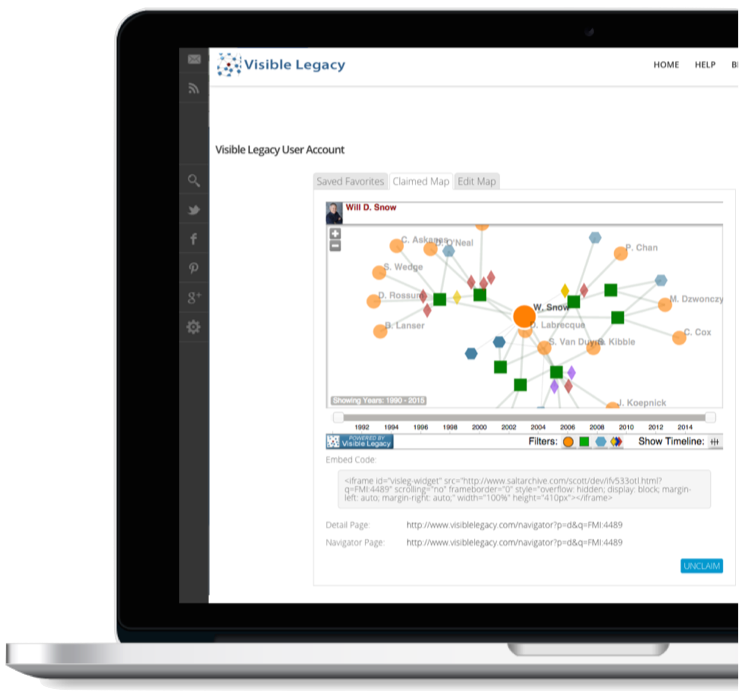
If you are a technology transfer professional, news service or department administrator responsible for communicating emerging innovations to industry, Visible Legacy elements can be used in your website to speed sharing and understanding of your content.

Visible Legacy Widgets let my Office of Technology Licensing communicate our innovations to industry. Adding the visual and interactive elements in our web page lets users find related innovations faster.

Readers of my News Service can use Visible Legacy Search to find experts faster and learn about the other researchers and innovations around the story.

As Department Chair, Visible Legacy lets me communicate our new innovations to our industrial partners. I can also use the maps to connect the dots for our research funders, showing the results of grants and what the laboratories are known for.